
GROUP CHAT – MONDAY, 11:47 PM
*ding*
Jordan: Quick question, which button style are we using for the hero section?
Skye: Oh, the one from the new library.
Jordan: The new new library? Or the rebrand rollout?
Skye: Soft rebrand. Q2. But bolded.
Alex (Dev): I’ve got five buttons in the codebase. Two are named “final.” One’s in Comic Sans. Help.
Skye: @Alex use “final2x-Q2-rebrand-bold-usethisonly.” Also, we use Blue Indigo 19-3928 if it’s on white. Otherwise, use Mood Indigo 19-4025. Or Vintage 19-3929 if it’s legacy.
Jordan: Um, are we the legacy?

When your UI has more versions than your team has people, you probably don’t need another design tweak, you need a functional system.
Design systems exist to make teamwork smoother, not stricter. Done right, they reduce the back-and-forth, kill inconsistencies, and let everyone (from designers to marketers to devs) move fast without stepping on each other’s work.
But most systems flop. They’re often rigid. Forgotten or never used.
This article is about how to fix that and build a design system your team will love using.
Know Why You’re Building It Before You Build Anything
The biggest mistake you can make with a design system? Starting with the what instead of the why.
It’s easy to dive headfirst into Photoshop and start cranking out buttons, spacing grids, and font stacks. That part’s fun. But if you don’t stop to ask, “What problem are we solving here?” you’re just making another folder of components that no one uses.
So, pause and ask:
- What’s the point of this system for your team?
- Is it about speeding up campaign production?
- Creating consistency across regional markets?
- Making dev handoff less painful?
- Reducing the back-and-forth between design and marketing?
Your answers here will shape everything, from how the system is structured to how it’s adopted.
And don’t make this just a designer thing. A useful design system serves more than just the design team.
Marketers need to whip up on-brand assets without pinging a designer every time. Developers need clarity on behavior and states. Product managers require a consistent visual language so that it aligns with roadmaps and brand objectives.
When your design system is solving real, specific problems for the actual people using it, adoption becomes a natural outcome, not an uphill battle.
It’s Not a Folder of Assets But a Living, Breathing Ecosystem
If your design system is made up of a few .psd files and a dusty PDF of brand guidelines from three rebrands ago, it’s time to level up.
A proper design system is a living ecosystem. It includes tokens (colors, typography, spacing), reusable components (buttons, cards, forms), design patterns, content principles, accessibility guidelines, and documentation. It connects the dots between design and development, and it evolves with your brand.

That doesn’t mean it has to be massive.
Bloat is still your enemy. It’s tempting to create six versions of a component to cover every possible edge case, but that quickly turns your system into a swamp. Instead, build smart defaults, components that are flexible enough to handle variation, but opinionated enough to eliminate guesswork.
Now, depending on your team size and structure, your approach to systems and documentation might look very different. A lean marketing team may just need a set of branded Canva templates, a shared asset library, and a quick how-to guide.
But a larger cross-functional org? They’ll probably need a robust design token structure, usage guidelines, and synced components in Figma and code. There’s no one-size-fits-all. The goal is alignment, not overkill.
And thankfully, bridging design and code isn’t just wishful thinking anymore. With tools like Figma, Storybook, and token-based frameworks, you can make a change once and see it ripple across your entire product ecosystem. That means less manual cleanup and brand consistency on autopilot.
Documentation Doesn’t Have to Be Boring (Seriously)
I know, I know. Documentation makes most creatives glaze over. But hear me out, documentation is what turns a design system from a set of files into a true resource.
And no, it doesn’t have to read like a legal contract.
Good documentation should feel like a helpful teammate tapping you on the shoulder, saying, “Hey, let me show you how this works.”
For designers, that means context on when to use this component, what problems it solves, and how it fits into the bigger picture.
As for developers, it’s accessibility checklists, interaction states, and clear code samples. And finally, for marketers, it’s knowing which logo works on a dark background, how to use brand colors without accidentally inventing new ones, and how to stay on-message, not just what to say, but how to say it in the brand’s voice.
Make it visual. Keep it current. Put it where people already work, inside Photoshop, Figma, linked in your component library, or surfaced in your CMS. No one’s going to dig through a Confluence wiki to find out what shade of red to use.
And you know what, when documentation is good, your support requests drop. People stop guessing, and they stop asking so many questions. Isn’t that the dream?

Adoption Isn’t Optional in a Design System
You can build the most elegant, scalable design system in the world, but if your team ignores it? It’s just a digital shelf warmer.
Adoption is the real ROI. If your system isn’t being used, nothing else matters.
So, how do you drive adoption? First, make it easy to access and even easier to use. Put the system in the tools your team already works with. Create starter kits and offer training, but keep it casual. No need to make it feel like onboarding at NASA.
Celebrate the small wins. When a marketer spins up a landing page using a pre-approved Canva template without needing to Slack the design team once, call that out. When someone uses the shared assets to build an email or social graphic that’s totally on-brand, give it a shout. These little victories are proof that your system is working where it matters: in the wild.
And if people start going rogue, tweaking templates, rebuilding components, or ignoring the system entirely, it’s not an act of defiance. It’s feedback. More often than not, it means something’s off or missing. Take it as a signal, not a threat, and use it to improve the system.
People support what they help build. If your design system listens, adapts, and solves real pain points, it won’t need to be forced.
You Need Governance (But Make It Lightweight)
If no one’s in charge of your design system, it’ll drift. Components go stale, styles get duplicated, and before you know it, you’re back in chaos land.
But let’s be clear, governance doesn’t mean red tape. It just means someone owns the system’s direction, and there’s a process (a simple one) for making updates.
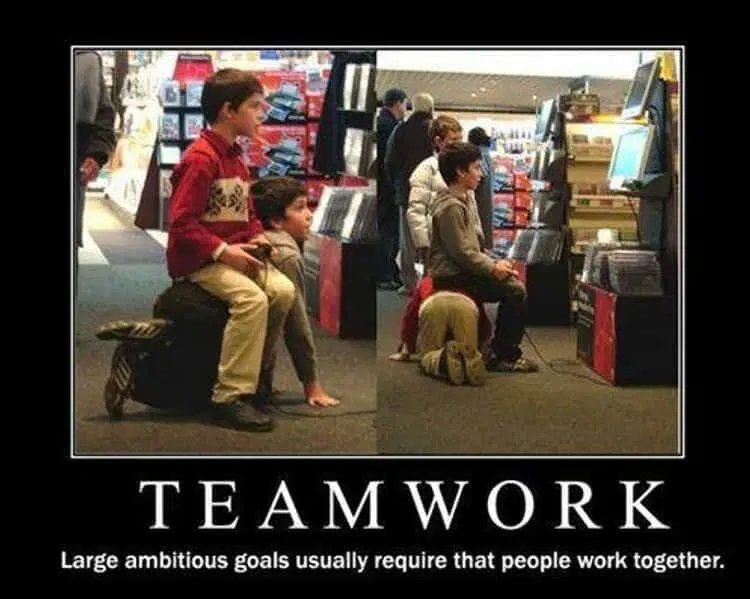
Ideally, governance is shared. You’ve got a small, cross-functional core team, usually design, dev, and brand, who manage the roadmap. They help approve contributions and keep things aligned. But contributors from other teams should be able to suggest changes, flag bugs, or ask for support.
Again, don’t overdo it. A quarterly audit, an open changelog, and regular check-ins can go a long way. What you’re aiming for is sustainable evolution, not rigid control.
The goal isn’t perfection. It’s always clarity and trust.

Design Systems Should Grow With Your Brand
A great design system is never done. It changes as your brand does.
New product lines, a refreshed tone of voice, and a new accessibility standard. Your system has to flex with all of that. The key is to build habits that keep it fresh. Regular audits and strong feedback loops. A roadmap that looks ahead at what your team needs.
This doesn’t mean chasing every trend or rebuilding your button set every quarter. It means making thoughtful updates that align with how your brand and team are evolving.
Think of it like gardening. You prune, you plant new things, you pull weeds. And over time, it grows into something that supports the whole organization, without becoming overgrown.
Prove the Value of Your Design System
Design systems might feel like design stuff, but they have a very real business case. It makes production faster and creates fewer bugs. Maybe even foster a stronger brand presence, including better cross-team collaboration. This is executive language, sure, but this is how you get continued investment.
Start tracking how the system changes your day-to-day. Are campaign build times shorter? Are more components being reused instead of rebuilt? Has design-to-dev QA gone down?
Get qualitative feedback, too. Run a quick survey every six months. What’s working? Which areas are frustrating? And what’s missing?
These insights don’t just help you improve, but they help you tell the story of why the system matters. Because let’s be real, you’re not building a design system to win a design award. You’re building it to move faster, look better, and work smarter. That’s ROI any stakeholder can get behind.

Wrapping Up
At the end of the day, a great design system isn’t a set of tools; instead, it’s a shared foundation that helps your team do better work. These need to be built with purpose, structured around real workflows, and kept alive through collaboration and care.
If your current system feels more like a tax than a benefit, it’s not too late.
You can start small. Reconnect with the real problems your team needs to solve and involve the people who use it most. Make it easier, not harder, to do great work.
Because in a world where brand touchpoints multiply by the minute and teams are expected to move at breakneck speed, the last thing you need is more chaos.
What you need is a system. A solid design system that works.
—
If your team’s still wrestling with inconsistent assets or design chaos, it might be time for a system that does more than sit pretty. At Nicole Steffen Design, we help teams create smart, scalable design systems that work across disciplines and are used.
Schedule a call with Nicole today and let’s talk about how to build one that works for you.